

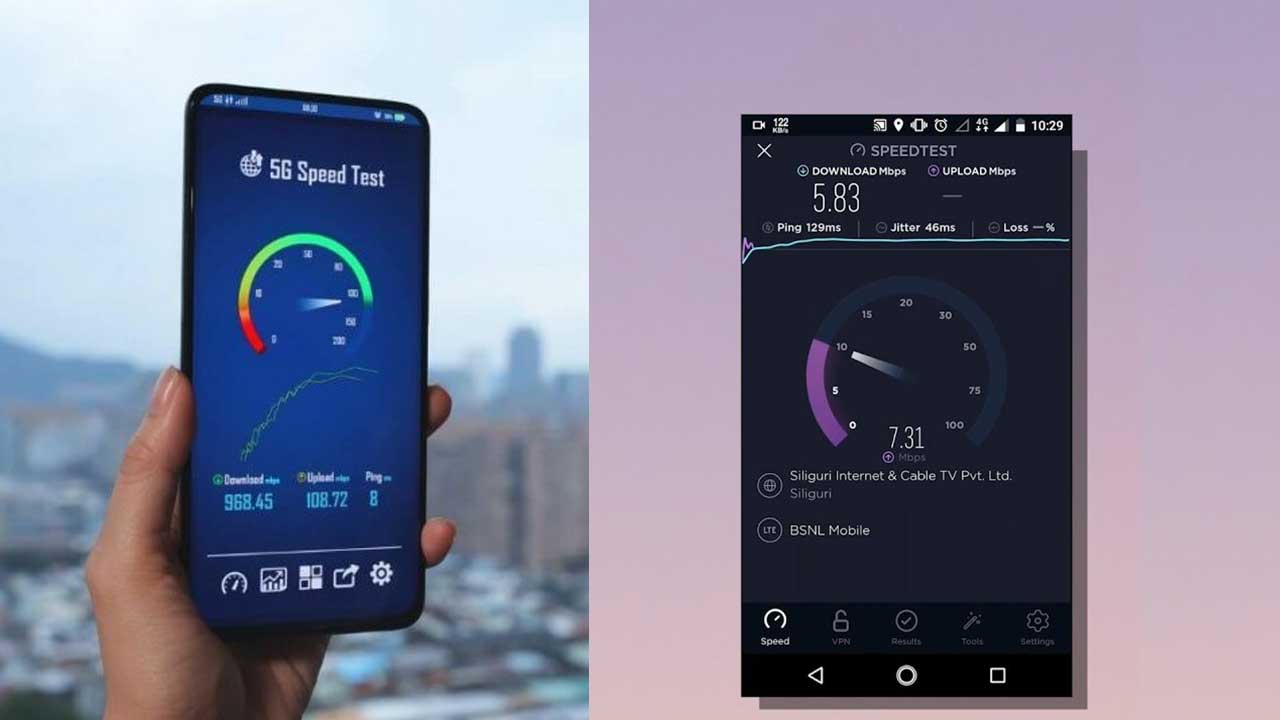
Speed Test App
Imagine surfing the internet at lightning speed, with no buffering videos or laggy online games. Then, the dreaded slowdown happens, and you’re left wondering what went wrong. This is where the Speed Test 4G 5G WiFi & Maps app swoops in like a digital superhero, ready to diagnose and fix your internet woes.
User Interface and Experience
A user-friendly interface is critical for any app, and this one excels in that department. The design is sleek and modern, with intuitive navigation that makes it easy for users to find and utilize the various features. The main screen offers quick access to speed tests, while detailed results are just a tap away. The app’s layout ensures that even the least tech-savvy users can navigate it with ease.
Testing Network Speed
At the heart of the app is its speed testing capability. It measures three main parameters: download speed, upload speed, and ping (latency). The download speed indicates how quickly data is transferred from the internet to your device, while upload speed measures the reverse. Ping, on the other hand, measures the reaction time of your connection – the lower the ping, the more responsive the connection.
Comparing 4G and 5G Speeds
One of the standout features of this app is its ability to compare 4G and 5G speeds. With 5G promising significantly higher speeds and lower latency than 4G, this comparison helps users see the real-world benefits of upgrading to a 5G network. The app provides detailed graphs and data, showing not just speed differences, but also how these technologies perform under various conditions.
WiFi Network Analysis
Beyond cellular networks, the app also excels in analyzing WiFi connections. It tests WiFi speed, checks signal strength, and even maps coverage within your home or office. This can be particularly useful for identifying dead zones or areas with weak signals, allowing you to optimize your router placement or consider adding extenders.
Mapping Network Coverage
The network mapping feature is a game-changer. By using data from your device and others, the app creates detailed maps showing 4G and 5G coverage in your area. This is especially useful if you’re considering switching providers or if you’re traveling and need to know where you’ll get the best signal.
Real-time Data and Reporting
The app provides real-time data, allowing you to see how your network is performing at any given moment. It also stores historical data, so you can track trends over time. This can be particularly useful for identifying persistent issues or verifying if recent changes (like a new router or an upgraded plan) have made a difference.
Advanced Features
For power users, the app offers a range of advanced features. You can customize speed tests to run at specific intervals, select different servers to test against, and even set alerts for when your speed drops below a certain threshold. These features make it a versatile tool for both casual users and network professionals.
Privacy and Security
In today’s world, data privacy is paramount. The app takes this seriously, ensuring that your test results and personal data are secure. It doesn’t collect unnecessary data, and it uses encryption to protect your information. This means you can use the app with confidence, knowing your privacy is safeguarded.
User Feedback and Reviews
The app has received a lot of positive feedback from users, who praise its accuracy, ease of use, and comprehensive features. Common criticisms include occasional connectivity issues and the desire for even more advanced features. Overall, user ratings are high, reflecting the app’s reliability and utility.
Download app
Practical Use Cases
Whether you’re an individual looking to optimize your home network, a professional needing reliable connectivity for work, or a technician troubleshooting network issues, this app has something to offer. It provides detailed, actionable data that can help you make informed decisions and improve your internet experience.